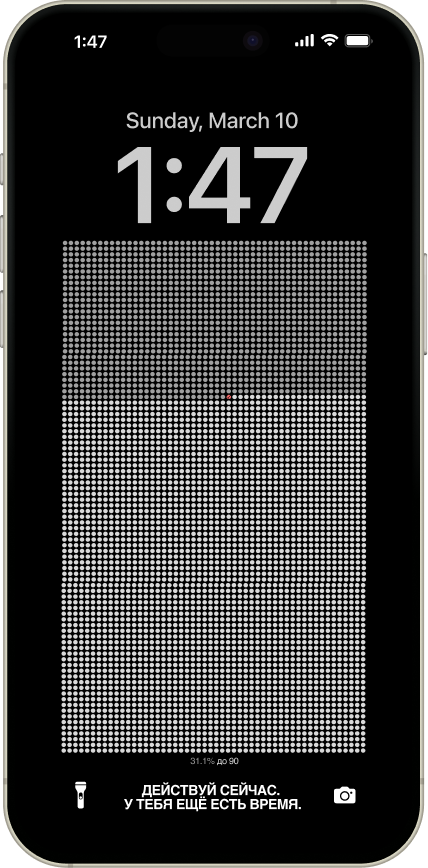
Настрой автоматизацию, чтобы обои обновлялись каждую неделю
1. Открой приложение «Команды»
Это встроенное приложение Apple. Если не можешь найти — потяни вниз на домашнем экране и напиши Команды
📱
Найди приложение «Команды» (Shortcuts)
2. Перейди в «Автоматизация»
Внизу экрана есть вкладка Автоматизация — нажми на неё
3. Создай новую автоматизацию
Нажми + в правом верхнем углу, затем выбери Время суток
4. Настрой расписание
🕐
Время: любое удобное (например, 7:00)
🔄
Повтор: По дням
▶️
Запуск: Немедленный запуск
Нажми Далее, новая автоматизация
5. Добавь действие загрузки
В поиске введите Получить содержимое URL
В поле URL адрес вставьте ссылку (ссылка выше)
6. Добавь установку обоев
В поиске напиши обои и выбери Установить фото как обои
🖼
Изображение: Содержимое URL (подставится автоматически)
🔒
Экран: выбери Экран блокировки
Нажми на стрелочку в кружке и отключи:
👁
Показать окно просмотра — отключи
✂️
Обрезать до темы — отключи
7. Сохрани
Нажми Готово
Важно: измени Запуск после подтверждения на Немедленный запуск
💡 Совет
Чтобы проверить, что всё работает — в списке автоматизаций нажми на созданную и выбери Выполнить. Обои должны сразу обновиться.

 90
90